TradingView Data API
Table of Contents
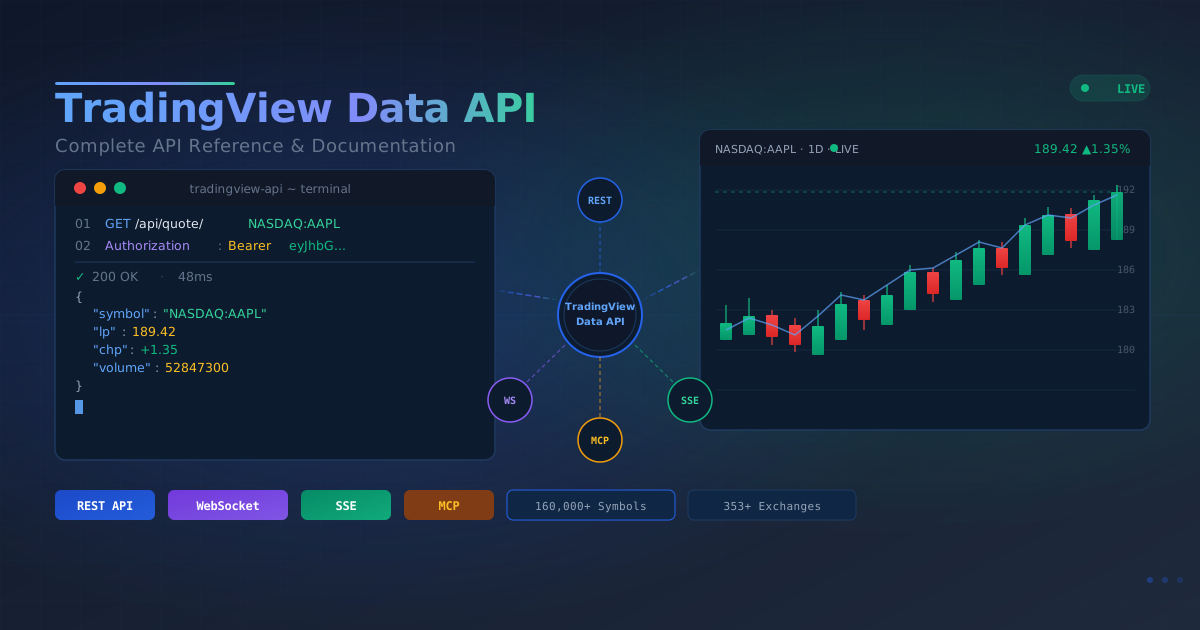
Access real-time market data from TradingView with our comprehensive REST API, WebSocket support, Server-Sent Events (SSE), and Model Context Protocol (MCP) integration. Get stock quotes, candlestick data, technical analysis, market leaderboards, world economy indicators, and financial news for stocks, crypto, forex, futures, bonds, and ETFs. Includes live streaming support via WebSocket and SSE, and MCP support for AI assistant integration.
Key Features
- Real-time Data: Live price updates and market information
- Global Coverage: Access data from major worldwide exchanges
- Batch Operations: Efficiently fetch data for multiple symbols
- Multiple Timeframes: Support for various chart intervals
- Professional Analysis: Built-in technical analysis indicators
- Market Leaderboards: Discover trending stocks and market opportunities through comprehensive leaderboards
- World Economy Indicators: Track macroeconomic rankings across regions and countries
- SSE Streaming: Lightweight one-way real-time push with automatic reconnect support
- Comprehensive Market Data: Detailed financial information including company profiles, financial statements, technical indicators, and analyst recommendations
- Community Insights: Access TradingView community trading ideas, market sentiment, and expert analysis
Supported Markets
The API supports 8 different asset types:
- Stocks: 68+ markets across North America, Europe, Middle East & Africa, South America, and Asia & Oceania
- Indices: Global stock indices including major, regional, and sector indices
- Cryptocurrency: All major exchanges and trading pairs
- Futures: Commodities, energy, metals, currencies, world indices, and interest rates
- Forex: All major, minor, and exotic currency pairs
- Government Bonds: Government bonds from global markets
- Corporate Bonds: Corporate bonds with various terms and coupon types
- ETFs/Funds: Comprehensive ETF and fund coverage worldwide
📚 Official Resources
Before getting started, visit these official resources for the latest information and interactive testing:
Complete API Documentation
🔗 https://www.tradingviewapi.com/docs/
Visit the official documentation website for:
- Detailed API endpoint descriptions and parameters
- Complete response formats and data structures
- Latest feature updates and version information
- Code examples and best practices
Interactive API Playground
🔗 https://www.tradingviewapi.com/playground/
Use the Playground to:
- Test all API endpoints directly in your browser
- View real-time request and response data
- Experiment with different parameter combinations
- Validate your API key and authentication
- Experience API functionality without writing code
Available Endpoints
📊 Price Data
Historical and real-time OHLCV (Open, High, Low, Close, Volume) candlestick data for charting and analysis.
- GET /api/price/{symbol} - Get OHLCV candlestick data with customizable timeframes (1, 5, 15, 30, 60, 240, D, W, M)
- POST /api/price/batch - Fetch candlestick data for multiple symbols in one request (max 10)
💹 Real-time Quotes
Live market quotes with current prices, bid/ask spreads, volume, and price changes for real-time trading decisions.
- GET /api/quote/{symbol} - Get real-time quote data including price, change, volume, bid/ask
- POST /api/quote/batch - Get real-time quotes for multiple symbols in one request (max 10)
🔍 Market Search
Search and discover trading instruments across stocks, crypto, forex, and other asset types by keyword or symbol.
- GET /api/search/market/{query} - Search for stocks, crypto, forex, and other markets by keyword (supports optional filter and offset parameters)
📈 Technical Analysis
Professional technical analysis signals and indicators to identify buy/sell opportunities across multiple timeframes.
- GET /api/ta/{symbol} - Get professional technical analysis signals (Buy/Sell/Neutral) across multiple timeframes
- GET /api/ta/{symbol}/indicators - Get detailed technical indicators data (RSI, MACD, Stoch, CCI, ADX, moving averages, pivot points, etc.)
📊 Market Data
Comprehensive market data endpoints providing categorized financial information including company details, financial statements, technical indicators, and analyst recommendations.
- GET /api/market-data/{symbol} - Get all categorized market data for a symbol (10 categories: company, IPO, indicators, TTM, current, financials, history, dividend, analyst recommendations, enterprise value, credit ratings, cash flow)
- GET /api/market-data/{symbol}/company - Get basic company information (name, industry, country, exchange, etc.)
- GET /api/market-data/{symbol}/ipo - Get IPO information (shares issued, market cap, etc.)
- GET /api/market-data/{symbol}/indicators - Get technical indicators (P/E ratio, P/B ratio, EPS, etc.)
- GET /api/market-data/{symbol}/ttm - Get Trailing Twelve Months (TTM) financial data
- GET /api/market-data/{symbol}/current - Get current financial metrics
- GET /api/market-data/{symbol}/financials-quarterly - Get quarterly financial statements (balance sheet, income statement, cash flow)
- GET /api/market-data/{symbol}/financials-annual - Get annual financial statements (balance sheet, income statement, cash flow)
- GET /api/market-data/{symbol}/history-quarterly - Get historical quarterly financial data array
- GET /api/market-data/{symbol}/history-annual - Get historical annual financial data array
- GET /api/market-data/{symbol}/dividend - Get dividend data (dividend yield, payout ratio, ex-dividend dates, etc.)
- GET /api/market-data/{symbol}/analyst-recommendations - Get analyst recommendations (buy/hold/sell ratings, price targets, etc.)
- GET /api/market-data/{symbol}/enterprise-value - Get enterprise value metrics (EV, EV/EBITDA, etc.)
- GET /api/market-data/{symbol}/credit-ratings - Get credit ratings from agencies (S&P, Fitch, etc.)
- GET /api/market-data/{symbol}/cash-flow - Get cash flow analysis (operating, investing, financing activities)
💡 Community Ideas
Access TradingView community insights, trading ideas, and market sentiment from global traders and analysts.
- GET /api/ideas/hot - Get hot/trending trading ideas with pagination
- GET /api/ideas/editors-picks - Get editor’s picks trading ideas with pagination
- GET /api/ideas/{symbol}/minds - Get market sentiment and opinions for specific symbol
- GET /api/ideas/list/{symbol} - Get trading ideas list for specific symbol with pagination
- GET /api/ideas/{imageUrl} - Get detailed trading idea content by image URL
Ideas Parameters:
page(optional) - Page number for pagination (default: 1)per_page(optional) - Number of items per page (default: 20, max: 50)lang(optional) - Language code (default: “en”, e.g., “en”, “zh_CN”)symbol(required for symbol-specific endpoints) - Trading symbol (e.g., “NASDAQ:AAPL”, “BINANCE:BTCUSDT”)imageUrl(required for detail endpoint) - Image URL identifier from idea list
🔄 Batch API
Efficiently retrieve data for multiple symbols in a single request. Batch Get Price Data for up to 10 symbols to retrieve candlestick data, and Batch Get Quotes for up to 10 symbols to access real-time quotes.
- POST /api/price/batch - Fetch candlestick data for multiple symbols in one request (max 10)
- POST /api/quote/batch - Get real-time quotes for multiple symbols in one request (max 10)
📰 Financial News
Access financial news and market updates filtered by symbol, market type, language, and region to stay informed.
- GET /api/news - Get financial news list with optional symbol, language, market type, and market country filtering
- GET /api/news/bond - Get bond market news
- GET /api/news/crypto - Get cryptocurrency market news
- GET /api/news/economic - Get economic news
- GET /api/news/etf - Get ETF market news
- GET /api/news/forex - Get forex market news
- GET /api/news/futures - Get futures market news
- GET /api/news/index - Get index market news
- GET /api/news/stock - Get stock market news
- GET /api/news/{newsId} - Get detailed content of a news article by news ID
News Parameters:
symbol(optional) - Filter by symbol (e.g., “HKEX:700”, “NASDAQ:AAPL”)lang(optional) - Language code (default: “en”, e.g., “en”, “zh-Hans”, “ja”)market(optional, only for /api/news) - Market type filter (stock, crypto, forex, futures, bond, etf, index, economic)market_country(optional) - Market country code filter (e.g., “US”, “CN”)
🏆 Market Leaderboards
Discover top performers, gainers, losers, and trending instruments across different asset types and markets.
- GET /api/leaderboard/stocks - Get stock leaderboard data (requires
market_codeparameter) - GET /api/leaderboard/indices - Get indices leaderboard data
- GET /api/leaderboard/crypto - Get cryptocurrency leaderboard data
- GET /api/leaderboard/futures - Get futures leaderboard data
- GET /api/leaderboard/forex - Get forex leaderboard data
- GET /api/leaderboard/bonds - Get government bonds leaderboard data
- GET /api/leaderboard/corporate-bonds - Get corporate bonds leaderboard data
- GET /api/leaderboard/etfs - Get ETF/funds leaderboard data
- GET /api/leaderboard/data - Get leaderboard data by config ID (legacy endpoint)
Leaderboard Parameters:
tab(required) - Tab identifier (e.g., “gainers”, “all”, “major”)market_code(required for stocks) - Market code (e.g., “america”, “china”)columnset(optional) - Column set name (default: “overview”)start(optional) - Pagination start index (default: 0)count(optional) - Number of results, max 150 (default: 20)lang(optional) - Language code (default: “en”)
📋 Metadata
Retrieve API configuration data including available markets, tabs, column sets, supported languages, and exchanges.
- GET /api/metadata/markets - Get all available market codes
- GET /api/metadata/tabs - Get all available tab configurations (optional
typefilter) - GET /api/metadata/columnsets - Get column set metadata by asset type
- GET /api/metadata/languages - Get supported language list
- GET /api/metadata/exchanges - Get all available exchanges list
- GET /api/metadata/world-economy/indicators - Get world economy indicator metadata (supports optional
categoryfilter, e.g.gdp,lbr)
The API supports 353+ exchanges across different asset types. For the complete list of exchanges, please visit the Metadata Browser or use the /api/metadata/exchanges endpoint.
🌍 World Economy
Access macroeconomic indicator rankings by region, based on TradingView ECONOMICS scanner data.
- GET /api/world-economy/indicators/{indicator} - Get world economy indicator rankings by indicator slug and region
World Economy Parameters:
indicator(required, path) - Indicator slug (e.g.,full-year-gdp-growth,gdp,unemployment-rate,inflation-rate)region(optional, query) - Region filter (default:g20; options:g20,world,north-america,europe,middle-east-africa,latin-america,asia-pacific)
Examples:
/api/world-economy/indicators/full-year-gdp-growth?region=g20- Get G20 full-year GDP growth ranking/api/world-economy/indicators/gdp?region=asia-pacific- Get Asia-Pacific GDP ranking/api/metadata/world-economy/indicators?category=gdp,lbr- Get GDP and labor indicator metadata
📅 Calendar Events
Access economic calendar, earnings calendar, dividends calendar, and IPO calendar data for tracking important market events.
- GET /api/calendar/economic - Get economic calendar events (supports multiple countries via market_code)
- GET /api/calendar/earnings - Get earnings calendar with earnings release dates and forecasts
- GET /api/calendar/revenue - Get dividends calendar with dividend ex-dates and payment dates
- GET /api/calendar/ipo - Get IPO calendar with IPO offer times and details
Calendar Parameters:
from(required) - Start time (Unix timestamp in seconds, e.g., 1769356800)to(required) - End time (Unix timestamp in seconds, e.g., 1769961599)market(optional) - Market code(s), comma-separated (e.g., “america,china”, default: “america”)
Response Format: All calendar endpoints return data in standard JSON format:
{
  "success": true,
  "data": {
    "totalCount": 661,
    "data": [
      {
        "symbol": "NASDAQ:FLWS",
        "rank": 1,
        "earnings_release_date": 1761821100,
        "name": "FLWS",
        "description": "1-800-FLOWERS.COM, Inc.",
        ...
      }
    ]
  },
  "msg": "Success"
}
Examples:
/api/calendar/economic?from=1769356800&to=1769961599&market=america,china- Get economic events for China and US/api/calendar/earnings?from=1769356800&to=1769961599&market=america,china- Get earnings calendar for multiple markets/api/calendar/revenue?from=1769356800&to=1769961599&market=china- Get dividends calendar for China/api/calendar/ipo?from=1769356800&to=1769961599&market=america,china- Get IPO calendar for multiple markets
🖼️ Logo Images
Get TradingView logo images. The logo path should be obtained from currency-logoid, base-currency-logoid, or logoid fields returned by other endpoints. These fields can be retrieved from Quote endpoints (/api/quote/{symbol} and /api/quote/batch) and Leaderboard endpoints (/api/leaderboard/*). If the path does not have an extension, .svg will be automatically added. Use the big parameter to get large size versions.
- GET /logo - Get TradingView logo images using URL query parameters
Logo Parameters:
url(required) - Logo path (e.g., “apple.svg” or “crypto/XTVCMIDLE”). If no extension is provided, .svg will be automatically addedbig(optional) - Set to true to get large size version
Examples:
/logo?url=apple.svg- Get Apple logo/logo?url=apple&big=true- Get Apple logo (big version)/logo?url=crypto/XTVCMIDLE&big=true- Get cryptocurrency logo (big version)
Logo Path Examples by Category:
| Category | Example Paths |
|---|---|
| Exchange Providers | provider/binance, provider/coinbase, provider/kraken, provider/bitfinex, provider/bybit, provider/okx, provider/huobi, provider/okex, provider/bitmex, provider/deribit, provider/ftx, provider/gateio, provider/kucoin, provider/bitstamp, provider/gemini |
| Exchange Sources | source/NASDAQ, source/NYSE, source/SSE, source/HKEX, source/LSE, source/TSX, source/ASX, source/FWB, source/EURONEXT, source/TSE, source/BSE, source/NSE, source/SGX, source/KRX |
| Cryptocurrencies | crypto/XTVCBTC, crypto/XTVCETH, crypto/XTVCSOL, crypto/XTVCDOGE, crypto/XTVCADA, crypto/XTVCDOT, crypto/XTVCLINK, crypto/XTVCMATIC, crypto/XTVCAVAX, crypto/XTVCLUNA |
| Stock Companies | apple, microsoft, alphabet, tesla, amazon, meta-platforms, nvidia, jpmorgan-chase, visa, johnson-and-johnson, berkshire-hathaway, unitedhealth-group, mastercard, home-depot, bank-of-america |
| Countries/Regions | country/EU, country/US, country/GB, country/JP, country/CN, country/CA, country/AU, country/DE, country/FR, country/IN, country/KR, country/SG, country/HK, country/CH, country/NL |
🤖 Model Context Protocol (MCP)
Access TradingView data through the Model Context Protocol, enabling AI assistants (like Claude, Cursor) to interact with TradingView tools using a standardized protocol. The MCP endpoint acts as a proxy, forwarding requests to an independent MCP server.
- POST /api/mcp/generate - Generate JWT token and MCP URL for MCP connections
Token Generation Response:
{
  "success": true,
  "token": "eyJhbGciOiJIUzI1NiIsInR5cCI6IkpXVCJ9...",
  "expiresIn": "6 hours",
  "expiresAt": 1705567890123,
  "mcpUrl": "https://mcp.tradingviewapi.com/mcp"
}
Response Parameters:
success(boolean) - Indicates whether the token generation was successfultoken(string) - JWT authentication token for MCP connectionsexpiresIn(string) - Human-readable token expiration duration (e.g., “1 day”, “15 days”)expiresAt(number) - Unix timestamp (milliseconds) indicating when the token will expiremcpUrl(string) - MCP service URL for connecting to the MCP server
How to Use the Token:
After generating the token, you can configure it in your MCP client (e.g., Cursor, Claude Desktop). Add the following configuration to your MCP settings file:
For Cursor (~/.cursor/mcp.json):
{
  "mcpServers": {
    "tradingview": {
      "type": "streamable-http",
      "url": "https://mcp.tradingviewapi.com/mcp",
      "headers": {
        "Authorization": "Bearer YOUR_GENERATED_TOKEN_HERE",
        "Accept": "application/json, text/event-stream"
      }
    }
  }
}
For Claude Desktop (~/Library/Application Support/Claude/claude_desktop_config.json on macOS):
{
  "mcpServers": {
    "tradingview": {
      "type": "streamable-http",
      "url": "https://mcp.tradingviewapi.com/mcp",
      "headers": {
        "Authorization": "Bearer YOUR_GENERATED_TOKEN_HERE",
        "Accept": "application/json, text/event-stream"
      }
    }
  }
}
Configuration Steps:
- Generate a token using
/api/mcp/generateendpoint - Copy the
tokenvalue from the response - Replace
YOUR_GENERATED_TOKEN_HEREwith your actual token - Update the
urlfield with yourmcpUrlfrom the response - Restart your MCP client (Cursor or Claude Desktop)
- The TradingView MCP server will now be available to your AI assistant
Token Expiration by Plan:
Basic Plan
- Token expires in: 30 minutes - For quick testing
Pro Plan
- MCP not available
Ultra Plan
- Token expires in: 1 day - For daily usage
Mega Plan
- Token expires in: 30 days - For enterprise usage
Remember to regenerate and update your token before it expires to maintain uninterrupted access.
Security Notes:
- Generate a new token before the current token expires (
expiresAttimestamp) - Only JWT authentication is accepted for MCP connections
- Store tokens securely and never expose them in client-side code
- Never commit configuration files with tokens to version control
⚡ WebSocket Real-time Data
WebSocket endpoint for real-time price updates, quotes, and market data streaming. Requires JWT authentication.
Method 1: Generate JWT Token
Generate JWT tokens and WebSocket URL for WebSocket authentication. Returns both the authentication token and the WebSocket connection URL.
- POST /api/token/generate - Generate JWT token and WebSocket URL for WebSocket connections
Token Generation Response:
{
  "success": true,
  "token": "eyJhbGciOiJIUzI1NiIsInR5c...",
  "expiresIn": "24 hours",
  "expiresAt": 1775895414000,
  "wsUrl": "wss://ws.tradingviewapi.com/ws",
  "sseUrl": "https://ws.tradingviewapi.com/sse/stream"
}
Response Parameters:
success(boolean) - Indicates whether the token generation was successfultoken(string) - JWT authentication token for WebSocket connections. This token must be included as a query parameter when connecting to the WebSocket endpointexpiresIn(string) - Human-readable token expiration duration (e.g., “6 hours”, “24 hours”)expiresAt(number) - Unix timestamp (milliseconds) indicating when the token will expire. ⚠️ IMPORTANT: You MUST generate a new token before this expiration time. WebSocket connections will be automatically terminated when the token expires, and you will need to reconnect with a fresh token.wsUrl(string) - WebSocket connection URL. Use this URL with the token query parameter to establish a WebSocket connection
Method 2: Connect to WebSocket
WebSocket endpoint for real-time price updates, quotes, and market data streaming.
Connection URL: Use the wsUrl from token generation response
wss://ws.tradingviewapi.com/ws?token=YOUR_TOKENSupported Capabilities:
price_subscription- Real-time price updates with candlestick dataquote_subscription- Real-time quote data with bid/ask spreadsmulti_subscription- Subscribe to multiple symbols simultaneouslyheartbeat- Keep-alive ping/ponghistory_range- Historical data retrieval
Connection Flow:
- Generate JWT token via
/api/token/generate - Connect to WebSocket using
wsUrlfrom response - Append JWT token as query parameter:
?token=YOUR_TOKEN - Receive welcome message with capabilities
- Subscribe to symbols and receive real-time updates
- ⚠️ IMPORTANT: Monitor
expiresAttimestamp and generate a new token BEFORE expiration. Reconnect with the new token to maintain your WebSocket connection
Example Messages:
Subscribe to price updates:
{
  "action": "subscribe",
  "id": "sub_123",
  "symbol": "BINANCE:BTCUSDT",
  "timeframe": "5"
}
Subscribe to quotes:
{
  "action": "subscribe_quote",
  "id": "quote_123",
  "symbol": "BINANCE:BTCUSDT"
}
Heartbeat:
{
  "action": "ping"
}
Security Notes:
- JWT tokens automatically expire after a fixed duration
- ⚠️ CRITICAL: You MUST generate a new token BEFORE the current token expires (
expiresAttimestamp). Monitor theexpiresAtvalue and proactively refresh your token to maintain uninterrupted WebSocket connections - WebSocket connections are automatically terminated when token expires - no exceptions
- Only JWT authentication is accepted for WebSocket connections
- Best Practice: Implement token refresh logic that generates a new token when the current token is within 10-15% of its expiration time
Method 3: Testing WebSocket Connection
You can test WebSocket connections using our interactive test page.
Test Page URL:
https://www.tradingviewapi.com/ws-testTest Features:
- Interactive WebSocket connection interface
- Real-time message testing
- Token authentication support
- Subscribe and unsubscribe functionality
- Message history display
- Connection status monitoring
Quick Start:
- Visit https://www.tradingviewapi.com/ws-test
- Generate a JWT token using
/api/token/generate - Enter the token in the test page
- Connect and start testing real-time data streams
⚡ SSE Stream (Server-Sent Events)
SSE endpoint for one-way real-time streaming with automatic browser reconnect behavior. Requires JWT authentication using the same token generation as WebSocket.
Step 1: Generate JWT Token Use the same token generation endpoint as WebSocket to get authentication token and SSE URL.
- POST /api/token/generate - Generate JWT token and SSE URL for SSE connections
Step 2: Connect to SSE Stream SSE endpoint for real-time price updates, quotes, and market data streaming.
Connection URL: Use the sseUrl from token generation response
https://ws.tradingviewapi.com/sse/stream?token=YOUR_TOKEN&symbols=NASDAQ:AAPL,NYSE:TSLASSE Parameters:
token(required) - JWT authentication token from/api/token/generatesymbols(required) - Comma-separated symbol list (e.g.,NASDAQ:AAPL,NYSE:TSLA)type(optional) - Subscription type:quote(default) orpricetimeframe(optional) - Candle timeframe fortype=price(default:5)
SSE Example:
# First generate token
POST /api/token/generate
{
}

# Then connect to SSE with token
GET https://ws.tradingviewapi.com/sse/stream?token=YOUR_TOKEN&symbols=NASDAQ:AAPL,NYSE:TSLA&type=quote
Example SSE event payload:
data: {"type":"connected","clientId":"sse_123","symbols":["NASDAQ:AAPL","NYSE:TSLA"],"timestamp":1234567890}

data: {"type":"quote_update","symbol":"NASDAQ:AAPL","data":{"lp":150.25},"timestamp":1234567891}
Connection Flow:
- Generate JWT token via
/api/token/generate(same endpoint as WebSocket) - Use
sseUrlfrom response for SSE connection - Append JWT token as query parameter:
?token=YOUR_TOKEN - Add subscription parameters:
&symbols=SYMBOL1,SYMBOL2 - Receive welcome message with connection details
- Get real-time updates via SSE events
- IMPORTANT: Monitor
expiresAttimestamp and generate a new token BEFORE expiration. Reconnect with the new token to maintain your SSE connection
Security Notes:
- JWT tokens automatically expire after a fixed duration
- CRITICAL: You MUST generate a new token BEFORE the current token expires (
expiresAttimestamp). Monitor theexpiresAtvalue and proactively refresh your token to maintain uninterrupted SSE connections - SSE connections are automatically terminated when token expires - no exceptions
- Only JWT authentication is accepted for SSE connections
- Best Practice: Implement token refresh logic that generates a new token when the current token is within 10-15% of its expiration time
Metadata Browser
For detailed information about asset types, tabs, column sets, market codes, supported languages, and exchanges, please visit our interactive Metadata Browser:
🔗 https://www.tradingviewapi.com/metadata-browser/
The Metadata Browser provides:
- Asset Types & Tabs: Browse all available tabs for Stocks, Indices, Crypto, Futures, Forex, Bonds, and ETFs
- Column Sets: View all column configurations for each asset type
- Market Codes: Search and filter 68+ stock market codes by region and country
- Languages: Complete list of 18 supported languages with language codes
- Exchanges: Explore 353+ exchanges across all asset types with search and filtering
Start building with TradingView data today!