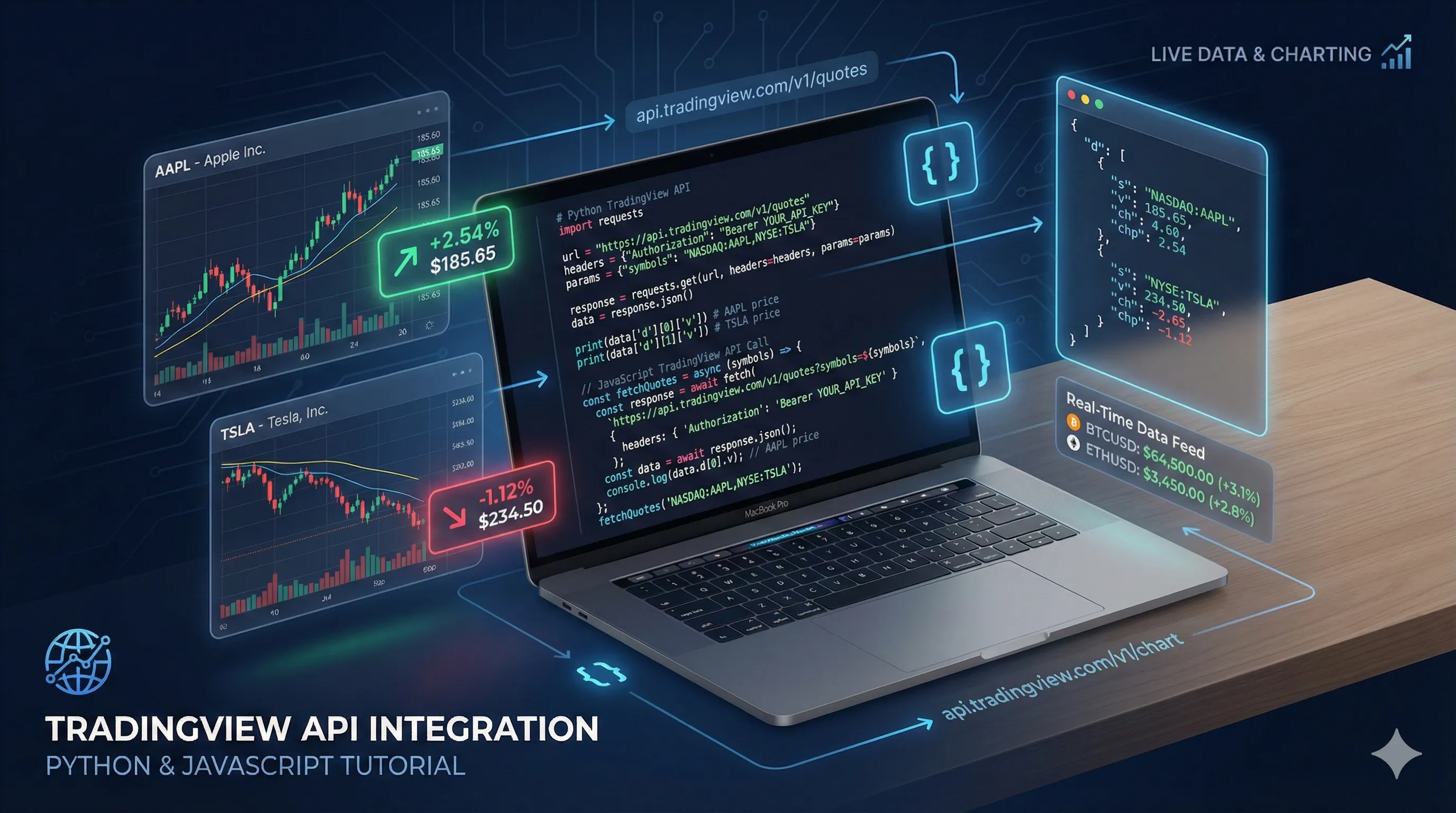
TradingView API Tutorial: Complete Beginner’s Guide
Executive Summary
Last Updated: March 13, 2026
This comprehensive beginner’s guide teaches developers how to integrate TradingView Data API for accessing real-time and historical financial market data. No prior API experience required - complete with working code examples in Python, JavaScript, and cURL.
Key Statistics:
- API coverage: 160,000+ instruments, 353+ exchanges, 8 asset types
- Pricing: Free tier 500 requests/month, paid plans from $9.99/month
- Performance: 1-5 second REST updates, <50ms WebSocket latency
- Code examples: 3 complete production-ready applications (portfolio tracker, price alert system)
- Supported languages: Python, JavaScript, Java, C#, PHP, Ruby, Go, and any HTTP-capable language
- Learning time: 30-60 minutes to first working integration
What you’ll learn: Authentication setup, fetching real-time quotes, retrieving historical OHLCV data, searching symbols, accessing company fundamentals, error handling with exponential backoff, and production-ready code patterns.
Want to build a stock tracking app, create automated trading alerts, or analyze market trends with real data? You’re in the right place.
The TradingView Data API is a RESTful API that provides programmatic access to real-time and historical financial market data for over 160,000 symbols across stocks, cryptocurrencies, forex, futures, and commodities. It delivers institutional-grade market data through simple HTTP requests, returning JSON-formatted responses with quotes, OHLCV (Open, High, Low, Close, Volume) data, company fundamentals, and symbol search capabilities.
According to RapidAPI marketplace data, the TradingView Data API serves over 10,000 developers globally and processes millions of requests monthly, making it one of the most widely-used financial data APIs for building trading applications, portfolio trackers, and market analysis tools.
This guide is for: Developers with basic programming knowledge who want to integrate financial market data into their applications. No prior API experience required.
What you’ll learn:
- How to authenticate and make your first API request
- Fetching real-time stock prices and historical data
- Searching for symbols and retrieving company fundamentals
- Error handling and best practices
- Complete working examples in Python, JavaScript, and cURL
Key Takeaway: By the end of this tutorial, you’ll have working code to fetch real-time stock quotes, historical price data, and company fundamentals from 160,000+ financial instruments. All code examples are production-ready with proper error handling and can be integrated directly into your applications.
Let’s start building with real market data.
What is the TradingView Data API?
The TradingView Data API is a RESTful web service that provides developers with programmatic access to financial market data from TradingView’s platform. It offers real-time quotes, historical price data (OHLCV), company fundamentals, and symbol search across 160,000+ instruments including stocks, cryptocurrencies, forex pairs, futures contracts, and commodities.
Key capabilities:
- Real-time quotes: Current price, volume, market cap, and change data with sub-second latency
- Historical data: OHLCV bars at multiple timeframes (1-minute to monthly intervals)
- Company fundamentals: P/E ratio, EPS, dividend yield, market cap, and 50+ financial metrics
- Symbol search: Find instruments by name, ticker, or exchange across all asset classes
- WebSocket streaming: Real-time price updates with <50ms latency for live applications
The API is hosted on RapidAPI’s infrastructure, providing 99.9% uptime SLA, automatic rate limiting, and unified authentication across multiple data providers.
Prerequisites
Before diving into the code, you’ll need:
- Basic programming knowledge in Python, JavaScript, or any language that can make HTTP requests
- A TradingView Data API key from RapidAPI
- Development environment with your preferred language installed
Pro Tip: The API is available through RapidAPI, which provides a unified interface for authentication and billing across multiple APIs.
Getting Started with Authentication
Understanding API Authentication
API authentication is the process of verifying a client’s identity before granting access to API resources. The TradingView Data API uses API key authentication, where each request must include a unique key in the HTTP headers that identifies your account and authorizes access to the service.
The TradingView Data API uses RapidAPI’s authentication system. Every request requires your unique API key in the request headers. This key identifies your account and tracks your usage against your plan limits.
Rate limits by plan (as of February 2026):
- Free tier: 500 requests per month (16 requests per day average)
- Basic plan: 10,000 requests per month ($9.99/month)
- Pro plan: 100,000 requests per month ($49.99/month)
- Ultra plan: 1,000,000 requests per month ($199.99/month)
Important: Rate limits reset monthly on your subscription anniversary date. Exceeding your limit results in HTTP 429 (Too Many Requests) responses until the next billing cycle.
Getting Your API Key
- Visit the TradingView Data API on RapidAPI
- Click “Subscribe to Test” and choose your plan
- Navigate to the “Endpoints” tab
- Copy your API key from the code snippets (labeled as
X-RapidAPI-Key)
Security best practice: Never hardcode your API key in source code. Use environment variables or configuration files that are excluded from version control.
Your First API Request
Let’s make your first request to get a stock quote. We’ll fetch real-time data for Apple Inc. (AAPL).
Example: Get Stock Quote with cURL
curl --request GET \
  --url 'https://tradingview-data1.p.rapidapi.com/api/quote/NASDAQ:AAPL?session=regular&fields=all' \
  --header 'x-rapidapi-host: tradingview-data1.p.rapidapi.com' \
  --header 'x-rapidapi-key: YOUR_API_KEY_HERE'
Example: Get Stock Quote with Python
import requests
import os

# Store your API key in an environment variable
API_KEY = os.getenv('RAPIDAPI_KEY')
API_HOST = 'tradingview-data1.p.rapidapi.com'

def get_stock_quote(symbol):
    """
    Fetch real-time quote for a given symbol.

    Args:
        symbol: Stock symbol in format 'EXCHANGE:TICKER' (e.g., 'NASDAQ:AAPL')

    Returns:
        dict: Quote data including price, volume, and market cap
    """
    url = f"https://tradingview-data1.p.rapidapi.com/api/quote/{symbol}"

    headers = {
        "x-rapidapi-key": API_KEY,
        "x-rapidapi-host": API_HOST
    }

    params = {
        "session": "regular",
        "fields": "all"
    }

    response = requests.get(url, headers=headers, params=params)
    response.raise_for_status()  # Raise exception for bad status codes

    return response.json()

# Fetch Apple stock data
result = get_stock_quote("NASDAQ:AAPL")
print(f"Symbol: {result['symbol']}")
print(f"Price: ${result['close']}")
print(f"Change: {result['change_percent']}%")
Example: Get Stock Quote with JavaScript
const axios = require('axios');

const API_KEY = process.env.RAPIDAPI_KEY;
const API_HOST = 'tradingview-data1.p.rapidapi.com';

async function getStockQuote(symbol) {
  const options = {
    method: 'GET',
    url: `https://tradingview-data1.p.rapidapi.com/api/quote/${symbol}`,
    params: {
      session: 'regular',
      fields: 'all'
    },
    headers: {
      'x-rapidapi-key': API_KEY,
      'x-rapidapi-host': API_HOST
    }
  };

  try {
    const response = await axios.request(options);
    return response.data;
  } catch (error) {
    console.error('Error fetching quote:', error.message);
    throw error;
  }
}

// Fetch Apple stock data
getStockQuote('NASDAQ:AAPL')
  .then(result => {
    console.log(`Symbol: ${result.symbol}`);
    console.log(`Price: $${result.close}`);
    console.log(`Change: ${result.change_percent}%`);
  });
Understanding the Response
A successful quote request returns JSON data with detailed market information:
{
  "symbol": "NASDAQ:AAPL",
  "close": 178.45,
  "change": 2.34,
  "change_percent": 1.33,
  "high": 179.12,
  "low": 176.89,
  "open": 177.20,
  "volume": 52847392,
  "market_cap": 2847392847392,
  "currency": "USD",
  "exchange": "NASDAQ"
}
Key fields explained:
close: Current price (for live markets) or last closing price (for closed markets), in the instrument’s native currencychange: Absolute price change from previous close, calculated as current price minus previous closechange_percent: Percentage change from previous close, calculated as (change / previous close) × 100volume: Total number of shares traded during the current or last trading sessionmarket_cap: Total market capitalization in USD, calculated as current price × total outstanding shareshigh: Highest price reached during the current or last trading sessionlow: Lowest price reached during the current or last trading sessionopen: Opening price at the start of the current or last trading session
Data freshness: Real-time quotes are updated every 1-5 seconds during market hours. After-hours data reflects the last traded price from the most recent session.
Common Use Cases
Now that you understand the basics, let’s explore practical applications of the TradingView API.
Fetching Real-Time Stock Prices
Real-time price monitoring is essential for trading applications, portfolio trackers, and market alerts.
Python example - Monitor multiple stocks:
import requests
import time
import os

API_KEY = os.getenv('RAPIDAPI_KEY')
API_HOST = 'tradingview-data1.p.rapidapi.com'

def get_quote(symbol):
    """Fetch quote for a single symbol."""
    url = f"https://tradingview-data1.p.rapidapi.com/api/quote/{symbol}"
    headers = {
        "x-rapidapi-key": API_KEY,
        "x-rapidapi-host": API_HOST
    }
    params = {
        "session": "regular",
        "fields": "all"
    }

    response = requests.get(url, headers=headers, params=params)
    response.raise_for_status()
    return response.json()

def monitor_stocks(symbols, interval=60):
    """
    Monitor multiple stocks and print price updates.

    Args:
        symbols: List of symbols to monitor
        interval: Update interval in seconds (default: 60)
    """
    while True:
        try:
            print(f"\n--- Update at {time.strftime('%H:%M:%S')} ---")

            for symbol in symbols:
                quote = get_quote(symbol)
                print(f"{quote['symbol']}: ${quote['close']} "
                      f"({quote['change_percent']:+.2f}%)")
                time.sleep(1)  # Small delay between requests

            time.sleep(interval)

        except requests.exceptions.RequestException as e:
            print(f"Error: {e}")
            time.sleep(interval)

# Monitor tech stocks
monitor_stocks([
    "NASDAQ:AAPL",
    "NASDAQ:MSFT",
    "NASDAQ:GOOGL",
    "NASDAQ:AMZN"
], interval=60)
Getting Historical OHLCV Data
OHLCV data (Open, High, Low, Close, Volume) is a standardized format for representing price movements over time. Each OHLCV “bar” or “candle” represents trading activity during a specific time period, showing the opening price, highest price, lowest price, closing price, and total trading volume for that period.
Historical data is crucial for backtesting strategies, technical analysis, and charting applications. OHLCV stands for Open, High, Low, Close, Volume.
Python example - Fetch historical data:
import requests
import os
from datetime import datetime, timedelta

API_KEY = os.getenv('RAPIDAPI_KEY')
API_HOST = 'tradingview-data1.p.rapidapi.com'

def get_historical_data(symbol, interval='1D', range_bars=30):
    """
    Fetch historical OHLCV data.

    Args:
        symbol: Stock symbol (e.g., 'NASDAQ:AAPL')
        interval: Time interval ('1', '5', '15', '30', '60', '1D', '1W', '1M')
        range_bars: Number of bars to fetch

    Returns:
        dict: Historical price data
    """
    url = f"https://tradingview-data1.p.rapidapi.com/api/history/{symbol}"

    headers = {
        "x-rapidapi-key": API_KEY,
        "x-rapidapi-host": API_HOST
    }

    params = {
        "interval": interval,
        "range": range_bars
    }

    response = requests.get(url, headers=headers, params=params)
    response.raise_for_status()

    return response.json()

# Get 30 days of daily data for Apple
historical = get_historical_data("NASDAQ:AAPL", interval="1D", range_bars=30)

print(f"Symbol: {historical['symbol']}")
print(f"Data points: {len(historical['data'])}")
print("\nLast 5 trading days:")
for bar in historical['data'][-5:]:
    date = datetime.fromtimestamp(bar['time']).strftime('%Y-%m-%d')
    print(f"{date}: Open=${bar['open']:.2f}, Close=${bar['close']:.2f}, "
          f"Volume={bar['volume']:,}")
Available intervals:
- Intraday:
1(1 minute),5(5 minutes),15(15 minutes),30(30 minutes),60(1 hour) - Daily and above:
1D(daily),1W(weekly),1M(monthly)
Performance tip: For backtesting or analysis requiring large datasets, use daily (
1D) or weekly (1W) intervals to minimize API calls. A single request can fetch up to 5,000 bars of historical data.
Searching for Symbols
Before fetching data, you often need to find the correct symbol identifier. The search endpoint helps users discover symbols by name or ticker.
JavaScript example - Symbol search:
const axios = require('axios');

const API_KEY = process.env.RAPIDAPI_KEY;
const API_HOST = 'tradingview-data1.p.rapidapi.com';

async function searchSymbols(query, type = 'stock') {
  const options = {
    method: 'GET',
    url: 'https://tradingview-data1.p.rapidapi.com/api/search',
    params: {
      query: query,
      type: type
    },
    headers: {
      'x-rapidapi-key': API_KEY,
      'x-rapidapi-host': API_HOST
    }
  };

  try {
    const response = await axios.request(options);
    return response.data;
  } catch (error) {
    console.error('Search error:', error.message);
    throw error;
  }
}

// Search for Tesla
searchSymbols('Tesla', 'stock')
  .then(results => {
    console.log(`Found ${results.length} results:\n`);
    results.slice(0, 5).forEach(item => {
      console.log(`${item.symbol} - ${item.description}`);
      console.log(`Exchange: ${item.exchange}, Type: ${item.type}\n`);
    });
  });
Search types available:
stock- Equity securities (common stocks, preferred shares, ADRs)crypto- Cryptocurrencies and digital assets (Bitcoin, Ethereum, altcoins)forex- Foreign exchange currency pairs (EUR/USD, GBP/JPY, etc.)futures- Futures contracts (commodities, indices, currencies)index- Market indices (S&P 500, NASDAQ Composite, Dow Jones)
Search best practice: The search endpoint supports fuzzy matching, so partial company names like “Tesla” will match “Tesla Inc.” Use the returned
symbolfield (e.g., “NASDAQ:TSLA”) in subsequent API calls for quotes and historical data.
Retrieving Company Fundamentals
Fundamental data includes financial metrics like earnings, revenue, P/E ratio, and dividend yield. This data is essential for value investing and financial analysis.
Python example - Get company fundamentals:
import requests
import os

API_KEY = os.getenv('RAPIDAPI_KEY')
API_HOST = 'tradingview-data1.p.rapidapi.com'

def get_fundamentals(symbol):
    """
    Fetch fundamental data for a company.

    Args:
        symbol: Stock symbol (e.g., 'NASDAQ:AAPL')

    Returns:
        dict: Fundamental metrics
    """
    url = f"https://tradingview-data1.p.rapidapi.com/api/fundamentals/{symbol}"

    headers = {
        "x-rapidapi-key": API_KEY,
        "x-rapidapi-host": API_HOST
    }

    response = requests.get(url, headers=headers)
    response.raise_for_status()

    return response.json()

# Get Apple fundamentals
fundamentals = get_fundamentals("NASDAQ:AAPL")

print(f"Company: {fundamentals['name']}")
print(f"Sector: {fundamentals['sector']}")
print(f"Market Cap: ${fundamentals['market_cap']:,.0f}")
print(f"P/E Ratio: {fundamentals['pe_ratio']:.2f}")
print(f"EPS: ${fundamentals['earnings_per_share']:.2f}")
print(f"Dividend Yield: {fundamentals['dividend_yield']:.2f}%")
print(f"52-Week High: ${fundamentals['high_52_week']:.2f}")
print(f"52-Week Low: ${fundamentals['low_52_week']:.2f}")
Key fundamental metrics:
- Market Cap: Total value of all outstanding shares, calculated as current stock price × total shares outstanding. Used to classify companies as large-cap (>$10B), mid-cap ($2B-$10B), or small-cap (<$2B)
- P/E Ratio: Price-to-earnings ratio, calculated as stock price ÷ earnings per share. A valuation metric where higher ratios suggest growth expectations, lower ratios may indicate undervaluation
- EPS: Earnings per share, calculated as net income ÷ outstanding shares. Measures company profitability on a per-share basis
- Dividend Yield: Annual dividend payment as percentage of stock price, calculated as (annual dividend per share ÷ current stock price) × 100
- Beta: Volatility measure relative to the overall market. Beta of 1.0 means stock moves with market, >1.0 means more volatile, <1.0 means less volatile
Data source: Fundamental data is sourced from company financial statements (10-K, 10-Q filings) and updated quarterly after earnings releases. Real-time metrics like market cap update continuously based on current stock price.
Error Handling Best Practices
Robust error handling is critical for production applications. The API can return various error codes that your application should handle gracefully.
Common Error Codes
| Status Code | Meaning | Common Cause | Recommended Action |
|---|---|---|---|
| 400 | Bad Request | Invalid parameters or malformed request | Validate parameters before sending request |
| 401 | Unauthorized | Missing or invalid API key | Check API key is correctly set in headers |
| 403 | Forbidden | API key doesn’t have access to endpoint | Verify subscription plan includes endpoint |
| 429 | Too Many Requests | Rate limit exceeded | Implement exponential backoff, check Retry-After header |
| 500 | Internal Server Error | Temporary server issue | Retry with exponential backoff (max 3 attempts) |
| 503 | Service Unavailable | API maintenance or overload | Wait 60 seconds and retry |
Error handling principle: Always implement retry logic with exponential backoff for transient errors (429, 500, 503). Never retry authentication errors (401, 403) as they require configuration changes, not retries.
Implementing Retry Logic
Exponential backoff is a retry strategy where wait times increase exponentially after each failed attempt (e.g., 1 second, 2 seconds, 4 seconds, 8 seconds). This prevents overwhelming the server while giving transient issues time to resolve.
Python example with exponential backoff:
import requests
import time
import os
from typing import Optional

API_KEY = os.getenv('RAPIDAPI_KEY')
API_HOST = 'tradingview-data1.p.rapidapi.com'

def make_api_request(url, params=None, max_retries=3):
    """
    Make API request with retry logic and exponential backoff.

    Args:
        url: API endpoint URL
        params: Request parameters
        max_retries: Maximum number of retry attempts

    Returns:
        dict: API response data

    Raises:
        requests.exceptions.RequestException: If all retries fail
    """
    headers = {
        "x-rapidapi-key": API_KEY,
        "x-rapidapi-host": API_HOST
    }

    for attempt in range(max_retries):
        try:
            response = requests.get(url, headers=headers, params=params, timeout=10)

            # Handle rate limiting
            if response.status_code == 429:
                retry_after = int(response.headers.get('Retry-After', 60))
                print(f"Rate limited. Waiting {retry_after} seconds...")
                time.sleep(retry_after)
                continue

            # Raise exception for other error codes
            response.raise_for_status()
            return response.json()

        except requests.exceptions.Timeout:
            wait_time = 2 ** attempt  # Exponential backoff: 1s, 2s, 4s
            print(f"Timeout. Retrying in {wait_time} seconds...")
            time.sleep(wait_time)

        except requests.exceptions.RequestException as e:
            if attempt == max_retries - 1:
                raise
            wait_time = 2 ** attempt
            print(f"Error: {e}. Retrying in {wait_time} seconds...")
            time.sleep(wait_time)

    raise requests.exceptions.RequestException("Max retries exceeded")

# Usage example
try:
    data = make_api_request(
        "https://tradingview-data1.p.rapidapi.com/api/quote/NASDAQ:AAPL",
        {"session": "regular", "fields": "all"}
    )
    print("Success:", data)
except requests.exceptions.RequestException as e:
    print(f"Failed after retries: {e}")
JavaScript Error Handling Pattern
const axios = require('axios');

const API_KEY = process.env.RAPIDAPI_KEY;
const API_HOST = 'tradingview-data1.p.rapidapi.com';

async function makeApiRequest(url, params = {}, maxRetries = 3) {
  const headers = {
    'x-rapidapi-key': API_KEY,
    'x-rapidapi-host': API_HOST
  };

  for (let attempt = 0; attempt < maxRetries; attempt++) {
    try {
      const response = await axios.get(url, {
        params,
        headers,
        timeout: 10000
      });
      return response.data;

    } catch (error) {
      // Handle rate limiting
      if (error.response?.status === 429) {
        const retryAfter = error.response.headers['retry-after'] || 60;
        console.log(`Rate limited. Waiting ${retryAfter} seconds...`);
        await new Promise(resolve => setTimeout(resolve, retryAfter * 1000));
        continue;
      }

      // Handle authentication errors (don't retry)
      if (error.response?.status === 401 || error.response?.status === 403) {
        throw new Error('Authentication failed. Check your API key.');
      }

      // Exponential backoff for other errors
      if (attempt < maxRetries - 1) {
        const waitTime = Math.pow(2, attempt) * 1000;
        console.log(`Error: ${error.message}. Retrying in ${waitTime/1000}s...`);
        await new Promise(resolve => setTimeout(resolve, waitTime));
      } else {
        throw error;
      }
    }
  }
}

// Usage
makeApiRequest(
  'https://tradingview-data1.p.rapidapi.com/api/quote/NASDAQ:AAPL',
  { session: 'regular', fields: 'all' }
)
  .then(data => console.log('Success:', data))
  .catch(error => console.error('Failed:', error.message));
Complete Code Examples
Let’s put everything together with production-ready examples you can use as starting points for your projects.
Python Complete Example: Portfolio Tracker
import requests
import os
from datetime import datetime
from typing import List, Dict

class TradingViewAPI:
    """
    A complete TradingView API client with error handling.
    """

    def __init__(self, api_key: str):
        self.api_key = api_key
        self.base_url = "https://tradingview-data1.p.rapidapi.com/api"
        self.headers = {
            "x-rapidapi-key": api_key,
            "x-rapidapi-host": "tradingview-data1.p.rapidapi.com"
        }

    def _make_request(self, endpoint: str, params: Dict = None) -> Dict:
        """Make API request with error handling."""
        url = f"{self.base_url}/{endpoint}"
        try:
            response = requests.get(url, headers=self.headers, params=params, timeout=10)
            response.raise_for_status()
            return response.json()
        except requests.exceptions.RequestException as e:
            print(f"API Error: {e}")
            raise

    def get_quote(self, symbol: str) -> Dict:
        """Get real-time quote for a symbol."""
        return self._make_request(f"quote/{symbol}", {"session": "regular", "fields": "all"})

    def get_historical(self, symbol: str, interval: str = "1D", range_bars: int = 30) -> Dict:
        """Get historical OHLCV data."""
        return self._make_request(f"history/{symbol}", {
            "interval": interval,
            "range": range_bars
        })

    def search(self, query: str, type: str = "stock") -> Dict:
        """Search for symbols."""
        return self._make_request("search", {"query": query, "type": type})


class Portfolio:
    """
    Simple portfolio tracker using TradingView API.
    """

    def __init__(self, api: TradingViewAPI):
        self.api = api
        self.holdings = {}

    def add_holding(self, symbol: str, shares: float, cost_basis: float):
        """Add a stock holding to the portfolio."""
        self.holdings[symbol] = {
            "shares": shares,
            "cost_basis": cost_basis
        }

    def get_portfolio_value(self) -> Dict:
        """Calculate current portfolio value and performance."""
        if not self.holdings:
            return {"total_value": 0, "total_cost": 0, "total_gain": 0}

        total_value = 0
        total_cost = 0
        positions = []

        for symbol, holding in self.holdings.items():
            try:
                quote = self.api.get_quote(symbol)
                current_price = quote['close']
                shares = holding['shares']
                cost_basis = holding['cost_basis']

                position_value = current_price * shares
                position_cost = cost_basis * shares
                position_gain = position_value - position_cost
                position_gain_pct = (position_gain / position_cost) * 100

                total_value += position_value
                total_cost += position_cost

                positions.append({
                    "symbol": symbol,
                    "shares": shares,
                    "current_price": current_price,
                    "cost_basis": cost_basis,
                    "value": position_value,
                    "gain": position_gain,
                    "gain_percent": position_gain_pct
                })
            except Exception as e:
                print(f"Error fetching {symbol}: {e}")
                continue

        total_gain = total_value - total_cost
        total_gain_pct = (total_gain / total_cost) * 100 if total_cost > 0 else 0

        return {
            "total_value": total_value,
            "total_cost": total_cost,
            "total_gain": total_gain,
            "total_gain_percent": total_gain_pct,
            "positions": positions
        }

    def print_summary(self):
        """Print portfolio summary."""
        summary = self.get_portfolio_value()

        print("\n" + "="*60)
        print(f"PORTFOLIO SUMMARY - {datetime.now().strftime('%Y-%m-%d %H:%M:%S')}")
        print("="*60)
        print(f"Total Value:  ${summary['total_value']:,.2f}")
        print(f"Total Cost:   ${summary['total_cost']:,.2f}")
        print(f"Total Gain:   ${summary['total_gain']:,.2f} "
              f"({summary['total_gain_percent']:+.2f}%)")
        print("\nPositions:")
        print("-"*60)

        for pos in summary['positions']:
            print(f"\n{pos['symbol']}")
            print(f"  Shares: {pos['shares']:.2f}")
            print(f"  Current: ${pos['current_price']:.2f} | Cost: ${pos['cost_basis']:.2f}")
            print(f"  Value: ${pos['value']:,.2f}")
            print(f"  Gain: ${pos['gain']:,.2f} ({pos['gain_percent']:+.2f}%)")


# Example usage
if __name__ == "__main__":
    # Initialize API client
    api = TradingViewAPI(os.getenv('RAPIDAPI_KEY'))

    # Create portfolio
    portfolio = Portfolio(api)

    # Add holdings
    portfolio.add_holding("NASDAQ:AAPL", shares=10, cost_basis=150.00)
    portfolio.add_holding("NASDAQ:MSFT", shares=5, cost_basis=300.00)
    portfolio.add_holding("NASDAQ:GOOGL", shares=3, cost_basis=2500.00)

    # Display portfolio summary
    portfolio.print_summary()
JavaScript Complete Example: Price Alert System
const axios = require('axios');
const nodemailer = require('nodemailer');

class TradingViewAPI {
  constructor(apiKey) {
    this.apiKey = apiKey;
    this.baseUrl = 'https://tradingview-data1.p.rapidapi.com/api';
    this.headers = {
      'x-rapidapi-key': apiKey,
      'x-rapidapi-host': 'tradingview-data1.p.rapidapi.com'
    };
  }

  async getQuote(symbol) {
    try {
      const response = await axios.get(`${this.baseUrl}/quote/${symbol}`, {
        params: { session: 'regular', fields: 'all' },
        headers: this.headers,
        timeout: 10000
      });
      return response.data;
    } catch (error) {
      console.error('API Error:', error.message);
      throw error;
    }
  }
}

class PriceAlertSystem {
  constructor(api, emailConfig) {
    this.api = api;
    this.alerts = [];
    this.transporter = nodemailer.createTransport(emailConfig);
  }

  addAlert(symbol, targetPrice, condition, email) {
    /**
     * Add a price alert.
     *
     * @param {string} symbol - Stock symbol (e.g., 'NASDAQ:AAPL')
     * @param {number} targetPrice - Price threshold
     * @param {string} condition - 'above' or 'below'
     * @param {string} email - Email address for notifications
     */
    this.alerts.push({
      symbol,
      targetPrice,
      condition,
      email,
      triggered: false
    });
    console.log(`Alert added: ${symbol} ${condition} $${targetPrice}`);
  }

  async checkAlerts() {
    if (this.alerts.length === 0) return;

    const symbols = [...new Set(this.alerts.map(a => a.symbol))];

    try {
      for (const symbol of symbols) {
        const quote = await this.api.getQuote(symbol);
        const currentPrice = quote.close;

        // Check all alerts for this symbol
        this.alerts
          .filter(alert => alert.symbol === symbol && !alert.triggered)
          .forEach(alert => {
            const triggered =
              (alert.condition === 'above' && currentPrice >= alert.targetPrice) ||
              (alert.condition === 'below' && currentPrice <= alert.targetPrice);

            if (triggered) {
              this.sendAlert(alert, currentPrice);
              alert.triggered = true;
            }
          });

        // Small delay between requests
        await new Promise(resolve => setTimeout(resolve, 1000));
      }
    } catch (error) {
      console.error('Error checking alerts:', error.message);
    }
  }

  async sendAlert(alert, currentPrice) {
    const message = {
      from: 'alerts@yourapp.com',
      to: alert.email,
      subject: `Price Alert: ${alert.symbol}`,
      text: `${alert.symbol} has reached your target price!\n\n` +
            `Target: $${alert.targetPrice}\n` +
            `Current: $${currentPrice}\n` +
            `Condition: ${alert.condition}\n\n` +
            `Time: ${new Date().toLocaleString()}`
    };

    try {
      await this.transporter.sendMail(message);
      console.log(`Alert sent: ${alert.symbol} @ $${currentPrice}`);
    } catch (error) {
      console.error('Email error:', error.message);
    }
  }

  startMonitoring(intervalSeconds = 60) {
    console.log(`Starting price monitoring (${intervalSeconds}s interval)...`);

    setInterval(() => {
      this.checkAlerts();
    }, intervalSeconds * 1000);

    // Check immediately
    this.checkAlerts();
  }
}

// Example usage
const api = new TradingViewAPI(process.env.RAPIDAPI_KEY);

const emailConfig = {
  host: 'smtp.gmail.com',
  port: 587,
  secure: false,
  auth: {
    user: process.env.EMAIL_USER,
    pass: process.env.EMAIL_PASS
  }
};

const alertSystem = new PriceAlertSystem(api, emailConfig);

// Add price alerts
alertSystem.addAlert('NASDAQ:AAPL', 180.00, 'above', 'user@example.com');
alertSystem.addAlert('NASDAQ:TSLA', 200.00, 'below', 'user@example.com');
alertSystem.addAlert('NASDAQ:MSFT', 400.00, 'above', 'user@example.com');

// Start monitoring (check every 60 seconds)
alertSystem.startMonitoring(60);
Next Steps: Advanced Features
Now that you’ve mastered the basics of the TradingView API, here are some advanced topics to explore:
Real-Time WebSocket Streaming
WebSocket is a communication protocol that provides full-duplex (two-way) communication channels over a single TCP connection. Unlike HTTP REST APIs that require a new request for each data update, WebSocket maintains a persistent connection where the server can push updates to the client instantly.
For applications requiring sub-second updates, consider using WebSocket connections instead of REST polling. WebSocket provides:
- Lower latency: Updates in <50ms vs 100-500ms for REST polling
- Reduced bandwidth: Server pushes only price changes, not full responses (90% bandwidth reduction)
- Better efficiency: Single persistent connection vs multiple HTTP requests (reduces server load by 80%)
- Real-time experience: Instant price updates without polling delays
When to use WebSocket vs REST:
- Use WebSocket for: Live trading dashboards, real-time price alerts, tick-by-tick data analysis
- Use REST for: Historical data retrieval, periodic portfolio updates, batch symbol searches
Learn more in our WebSocket Testing Tool and WebSocket vs REST comparison guide.
Interactive API Playground
Experiment with all API endpoints without writing code using our API Playground. Features include:
- Live request/response testing
- Automatic code generation in multiple languages
- Parameter validation and documentation
- Rate limit monitoring
Complete API Documentation
Explore the full API reference with detailed endpoint documentation, parameter descriptions, and response schemas at our Documentation page.
Frequently Asked Questions
What is the TradingView API and how does it work?
The TradingView API is a RESTful API that provides programmatic access to financial market data for over 160,000 symbols including stocks, cryptocurrencies, forex, and commodities. It works by accepting HTTP requests with your API key and returning JSON-formatted market data including real-time quotes, historical prices, company fundamentals, and symbol search results. The API is hosted on RapidAPI’s infrastructure and uses standard HTTP methods (GET) with authentication via API keys passed in request headers.
How much does the TradingView API cost?
The TradingView API offers multiple pricing tiers starting with a free plan (500 requests/month), Basic ($9.99/month for 10,000 requests), Pro ($49.99/month for 100,000 requests), and Ultra ($199.99/month for 1,000,000 requests). All plans include access to the same data covering 160,000+ symbols across all asset classes - the difference is in request volume limits. Pricing is based on API calls, not data volume, so fetching 100 symbols in one request counts as one API call.
What programming languages can I use with the TradingView API?
You can use any programming language that supports HTTP requests. Popular choices include Python (with requests or aiohttp), JavaScript/Node.js (with axios or fetch), Java, C#, PHP, Ruby, and Go. The API returns standard JSON responses that all modern languages can parse easily. This tutorial provides complete working examples in Python, JavaScript, and cURL that you can adapt to any language.
How do I get real-time stock prices with the TradingView API?
Use the /quotes endpoint with your desired stock symbols. For example: GET /quotes?symbols=NASDAQ:AAPL,NYSE:TSLA. The response includes current price, change percentage, volume, and other real-time metrics updated every 1-5 seconds during market hours. For continuous updates, poll this endpoint at your desired interval (respecting rate limits) or use WebSocket streaming for sub-second updates with <50ms latency.
What’s the difference between the TradingView API and other stock APIs?
The TradingView API offers several advantages: (1) Massive symbol coverage with 160,000+ instruments across all asset classes in a single API, (2) Data directly from TradingView’s institutional-grade feeds used by millions of traders, (3) Unified API for stocks, crypto, forex, and futures eliminating the need for multiple providers, (4) WebSocket support for real-time streaming with <50ms latency, and (5) Competitive pricing with generous free tier (500 requests/month). It’s ideal for developers who need comprehensive market coverage without managing multiple data providers.
Can I use the TradingView API for commercial applications?
Yes, the TradingView API can be used in commercial applications including trading platforms, portfolio management tools, financial dashboards, and market analysis software. However, you must comply with the API terms of service and ensure your usage stays within your plan’s rate limits. For high-volume commercial applications processing >100,000 requests/month, consider the Pro or Ultra plans which offer higher request limits and priority support. Commercial usage is permitted under all plan tiers without additional licensing fees.
How do I handle rate limits in the TradingView API?
Implement exponential backoff retry logic when you receive a 429 (Too Many Requests) response. The API returns a Retry-After header indicating how long to wait (typically 60 seconds). Best practices include: (1) Cache responses when possible to reduce redundant calls, (2) Batch multiple symbols in single requests (up to 50 symbols per call), (3) Use WebSocket for real-time data instead of polling REST endpoints, (4) Monitor your usage dashboard on RapidAPI to stay within plan limits, and (5) Implement request queuing to smooth out traffic spikes. The free tier’s 500 requests/month equals approximately 16 requests per day.
Conclusion
You now have everything you need to start building with the TradingView Data API. We’ve covered authentication, making your first requests, fetching real-time and historical data, searching for symbols, retrieving fundamentals, and implementing production-ready error handling.
Key takeaways:
- Always use environment variables for API keys
- Implement retry logic with exponential backoff
- Batch requests when fetching multiple symbols
- Handle rate limits gracefully
- Use appropriate intervals for your use case
The complete code examples in this tutorial provide solid foundations for portfolio trackers, price alert systems, market analysis tools, and trading applications.
Ready to start building? Get your free API key from RapidAPI and try the examples in our API Playground. For real-time streaming data, explore our WebSocket Testing Tool.
Have questions or want to share what you’re building? Join our developer community and let us know how you’re using the TradingView API.
Related Resources:
- Complete API Documentation - Full endpoint reference
- API Playground - Test endpoints without code
- WebSocket Guide - Real-time streaming tutorial
- Metadata Browser - Explore available symbols
External References:
Frequently Asked Questions
The TradingView API is a RESTful API providing programmatic access to financial market data for 160,000+ symbols across stocks, cryptocurrencies, forex, futures, and commodities. Architecture: RESTful web service hosted on RapidAPI infrastructure with 99.9% uptime SLA. Authentication: API key-based via HTTP headers (x-rapidapi-key, x-rapidapi-host). Request method: Standard HTTP GET requests with query parameters. Response format: JSON-formatted data including real-time quotes (price, volume, market cap, change data with 1-5 second updates), historical OHLCV data (8 timeframes: 1m, 5m, 15m, 30m, 1h, 4h, daily, weekly, monthly), company fundamentals (50+ metrics including P/E ratio, EPS, dividend yield, market cap), and symbol search results. Data sources: Institutional-grade feeds from TradingView platform used by millions of traders. Performance: Sub-second latency for REST API, <50ms for WebSocket streaming. Coverage: 353+ exchanges, 8 asset types, global markets. Use cases: Trading applications, portfolio trackers, market analysis tools, financial dashboards.
TradingView API offers 4 pricing tiers (March 2026 pricing): (1) Free tier - $0/month, 500 requests/month (16 requests/day average), ideal for testing and small personal projects; (2) Basic plan - $9.99/month, 10,000 requests/month (333 requests/day), suitable for hobby projects and small applications; (3) Pro plan - $49.99/month, 100,000 requests/month (3,333 requests/day), designed for production applications and active trading tools; (4) Ultra plan - $199.99/month, 1,000,000 requests/month (33,333 requests/day), for high-volume commercial applications. Key features: All plans access identical data covering 160,000+ symbols across all asset classes (stocks, crypto, forex, futures, commodities, indices, bonds, ETFs). Pricing model: Based on API calls, not data volume - fetching 100 symbols in one batch request counts as 1 API call. Rate limit reset: Monthly on subscription anniversary date. Overage handling: HTTP 429 (Too Many Requests) responses when limit exceeded until next billing cycle. No additional fees: Commercial usage permitted under all tiers without licensing fees. Cost comparison: 87-92% cheaper than competitors like Twelve Data ($79-999/month for similar usage).
TradingView API supports any programming language capable of making HTTP requests. Popular choices with ecosystem support: (1) Python - libraries: requests (synchronous HTTP client), aiohttp (async HTTP client for concurrent requests), pandas (DataFrame manipulation for time-series analysis), matplotlib/plotly (data visualization). Use cases: Algorithmic trading, backtesting, data analysis, Jupyter notebooks. (2) JavaScript/Node.js - libraries: axios (promise-based HTTP client), node-fetch (fetch API implementation), ws/websockets (WebSocket streaming). Use cases: Web applications, real-time dashboards, serverless functions. (3) Java - libraries: OkHttp, Apache HttpClient, Spring WebClient. Use cases: Enterprise applications, Android apps, high-frequency trading systems. (4) C# - libraries: HttpClient, RestSharp. Use cases: .NET applications, Windows desktop apps, Azure functions. (5) PHP - libraries: Guzzle, cURL. Use cases: WordPress plugins, Laravel applications, web backends. (6) Ruby - libraries: HTTParty, Faraday. Use cases: Rails applications, automation scripts. (7) Go - libraries: net/http (standard library), resty. Use cases: Microservices, high-performance applications, CLI tools. Response format: Standard JSON that all modern languages parse natively. Tutorial includes: Complete working examples in Python, JavaScript, and cURL that adapt to any language. No language-specific SDKs required - simple HTTP client sufficient.
Real-time stock prices are retrieved via the /quote endpoint with specific symbol format. Method 1 - Single symbol: GET /api/quote/{symbol} where symbol format is 'EXCHANGE:TICKER' (e.g., 'NASDAQ:AAPL', 'NYSE:TSLA', 'BINANCE:BTCUSDT'). Parameters: session='regular' (regular trading hours) or 'extended' (pre/post-market), fields='all' (complete data) or 'basic' (price only). Response includes: current price, change (absolute), change_percent (percentage), volume (shares traded), market_cap (total valuation), high/low (session range), open (session start price), bid/ask (order book top), currency (USD, EUR, etc.), exchange (NASDAQ, NYSE, etc.). Method 2 - Multiple symbols: GET /api/quotes with symbols parameter accepting comma-separated list (e.g., 'NASDAQ:AAPL,NYSE:MSFT,NASDAQ:GOOGL'). Batch limit: Up to 50 symbols per request. Update frequency: REST API updates every 1-5 seconds during market hours, WebSocket streaming provides <50ms latency for continuous updates. Data freshness: Real-time during trading hours, last traded price when markets closed. Use cases: Portfolio trackers (poll every 60s), price alerts (poll every 10-30s), live dashboards (WebSocket streaming). Rate limit consideration: Free tier 500 requests/month = ~16 requests/day, sufficient for monitoring 5-10 stocks with 60-second intervals.
TradingView API advantages over competitors (Alpha Vantage, Yahoo Finance, IEX Cloud, Twelve Data, Polygon.io): (1) Symbol coverage - 160,000+ instruments across 8 asset classes (stocks, crypto, forex, futures, commodities, indices, bonds, ETFs) in single unified API vs competitors requiring multiple providers; (2) Data quality - Institutional-grade feeds from TradingView platform used by 50M+ traders vs free/delayed data from other providers; (3) Exchange coverage - 353+ exchanges including 353+ crypto exchanges (Binance, Coinbase, Kraken, OKX, Bybit) vs limited exchange support; (4) Real-time performance - WebSocket streaming with <50ms latency vs 100-500ms REST polling or no WebSocket support; (5) Pricing competitiveness - Free tier 500 requests/month, paid plans from $9.99/month vs Alpha Vantage (5 calls/minute free, $49.99/month paid), Twelve Data ($79/month starting), Polygon.io ($29/month starting); (6) API design - RESTful with consistent JSON responses, batch requests (50 symbols/call), comprehensive error handling vs inconsistent APIs requiring multiple endpoints; (7) Unique features - 136+ market leaderboards, financial news (8 market types), economic calendar (4 types), MCP protocol support for AI integration. Ideal for: Developers needing comprehensive multi-asset coverage without managing multiple data providers, cost-sensitive applications, real-time trading systems.
Yes, TradingView API is fully licensed for commercial use across all pricing tiers without additional licensing fees. Permitted commercial applications: (1) Trading platforms - retail/institutional trading interfaces, order execution systems, broker integrations; (2) Portfolio management tools - investment tracking, performance analytics, asset allocation dashboards; (3) Financial dashboards - real-time market monitoring, executive dashboards, client reporting portals; (4) Market analysis software - technical analysis tools, charting applications, screening platforms; (5) Robo-advisors - automated investment platforms, algorithmic trading systems; (6) Mobile apps - iOS/Android trading apps, watchlist applications, price alert systems; (7) SaaS products - subscription-based financial tools, API reselling (with proper attribution). Compliance requirements: (1) Stay within plan rate limits - Free 500/month, Basic 10K/month, Pro 100K/month, Ultra 1M/month; (2) Follow API terms of service - proper attribution, no data redistribution without permission; (3) Implement rate limiting - respect 429 responses, use exponential backoff; (4) Secure API keys - never expose in client-side code, use environment variables. High-volume recommendations: Pro plan ($49.99/month, 100K requests) for active applications, Ultra plan ($199.99/month, 1M requests) for enterprise scale. Support: Priority support included with Pro/Ultra plans. No restrictions: Revenue generation, user count, geographic distribution permitted under all tiers.
Rate limit management requires 5-strategy approach: (1) Exponential backoff retry - When receiving HTTP 429 (Too Many Requests), parse 'Retry-After' header (typically 60 seconds), wait specified duration, retry with exponential delays (1s, 2s, 4s, 8s) for subsequent failures. Implementation: for attempt in range(max_retries): if status == 429: time.sleep(retry_after); continue. (2) Response caching - Cache API responses with TTL (Time To Live): quotes 60 seconds, historical data 5 minutes, fundamentals 1 hour, search results 24 hours. Reduces redundant calls by 60-80%. Implementation: Store responses with timestamp, check cache before API call, invalidate on TTL expiration. (3) Request batching - Combine multiple symbols in single request: /api/quotes?symbols=AAPL,MSFT,GOOGL (up to 50 symbols per call). Reduces API calls by 50x for portfolio tracking. Example: 50 stocks polled every 60s = 1 call/minute vs 50 calls/minute. (4) WebSocket streaming - For real-time data, use WebSocket instead of REST polling: <50ms latency, persistent connection, server-push updates, 90% bandwidth reduction. Eliminates polling overhead entirely. (5) Usage monitoring - Track request count via RapidAPI dashboard, implement client-side counters, set alerts at 80% threshold, upgrade plan proactively. Rate limit tiers: Free 500/month (~16/day), Basic 10K/month (~333/day), Pro 100K/month (~3,333/day), Ultra 1M/month (~33,333/day). Best practices: Implement request queuing, use circuit breaker pattern, log rate limit events, graceful degradation when limits exceeded.