How to Get Free Real-Time Stock Market Data: Complete 2026 Guide
Building a stock tracking app, learning algorithmic trading, or analyzing market trends? You need reliable stock market data - but professional data feeds can cost thousands of dollars per month.
Good news: You can access institutional-grade, real-time stock market data completely free for personal projects, learning, and prototyping.
In this comprehensive guide, you’ll discover the best free stock market APIs in 2026, learn how to maximize free tier limits, and understand when it’s time to upgrade to paid plans.
Why Free Stock Market Data APIs Exist
You might wonder: “If Bloomberg Terminal costs $24,000/year, how can APIs offer data for free?”
The business model is simple: Free tiers serve three purposes:
- Developer acquisition: Let developers test and build before committing to paid plans
- Education: Enable students and learners to practice with real data
- Freemium conversion: Users who build successful apps naturally upgrade as they scale
Important: “Free” doesn’t mean “low quality.” Free tier users typically get the same data quality, latency, and coverage as paid users - just with lower request volume limits.
Best Free Stock Market APIs in 2026
1. TradingView Data API (Recommended)
Free tier: 500 requests/month Coverage: 160,000+ symbols (stocks, crypto, forex, futures) Latency: Real-time (1-5 second delay) Best for: Comprehensive coverage, beginners, multi-asset portfolios
Why we recommend it:
- Massive symbol coverage: Access stocks, cryptocurrencies, forex, and commodities in one API
- Simple authentication: Just one API key, no OAuth complexity
- Rich data: Quotes, historical OHLCV, fundamentals, technical indicators, symbol search
- WebSocket support: Stream real-time data efficiently (doesn’t count against request limits the same way)
- Interactive playground: Test API calls without writing code
Free tier limitations:
- 500 requests per month (resets monthly)
- Rate limit: ~10 requests per second
- No SLA guarantee
Perfect for:
- Personal portfolio trackers (10 stocks × 1 update/day = 300 requests/month)
- Learning and experimentation
- Weekend projects and prototypes
- Low-traffic dashboards
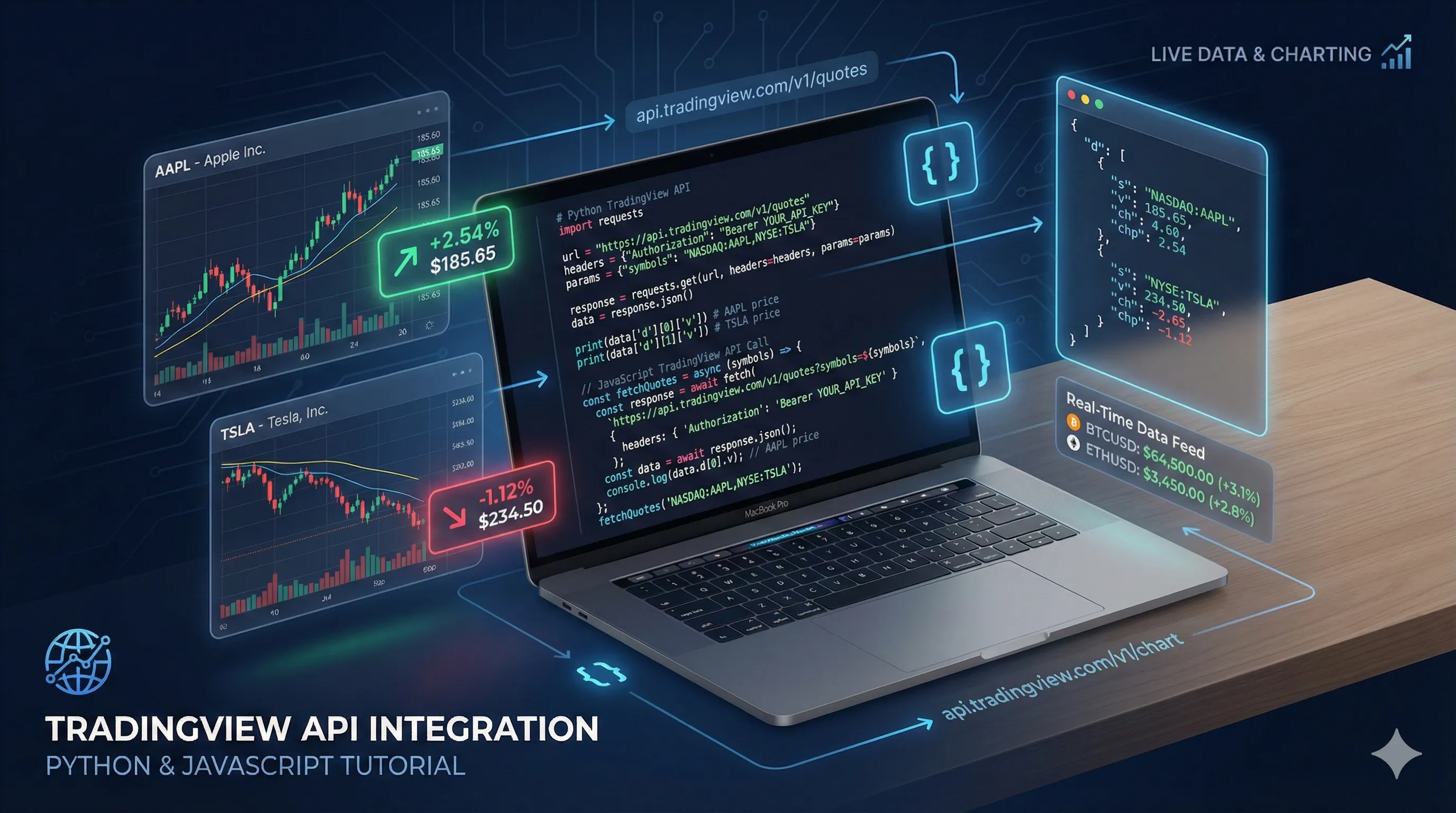
Example usage:
import requests

API_KEY = "your-rapidapi-key"
headers = {
    "X-RapidAPI-Key": API_KEY,
    "X-RapidAPI-Host": "tradingview-data1.p.rapidapi.com"
}

# Get real-time quote
response = requests.get(
    "https://tradingview-data1.p.rapidapi.com/api/quote/NASDAQ:AAPL",
    headers=headers,
    params={"session": "regular", "fields": "all"}
)

quote = response.json()
print(f"AAPL: ${quote['price']} ({quote['change_percent']:+.2f}%)")
Get started: Sign up for free API key
2. Alpha Vantage
Free tier: 25 requests per day (500/month if used daily) Coverage: Stocks, forex, cryptocurrencies Latency: Real-time to 15-minute delay (depends on endpoint) Best for: Technical analysis, historical data
Pros:
- Generous historical data access
- Built-in technical indicators (SMA, EMA, RSI, MACD)
- No credit card required
Cons:
- Only 25 requests per day (very limiting)
- 5 requests per minute rate limit
- Some endpoints have 15-minute delay
Best use case: Daily analysis scripts that don’t need frequent updates.
3. Polygon.io
Free tier: 5 API calls per minute Coverage: US stocks, options, forex, crypto Latency: Real-time (15-minute delay on free tier) Best for: US market focus, options data
Pros:
- Excellent documentation
- WebSocket streaming available
- Options and derivatives data
Cons:
- 15-minute delay on free tier (not truly real-time)
- Limited to 5 calls per minute
- US markets only
4. Finnhub
Free tier: 60 API calls per minute Coverage: Stocks, forex, crypto Latency: Real-time Best for: High-frequency polling within rate limits
Pros:
- High rate limit (60 calls/minute)
- Real-time data on free tier
- News and sentiment data
Cons:
- Limited historical data on free tier
- Smaller symbol coverage than TradingView
5. Yahoo Finance (via yfinance library)
Free tier: Unofficial, no official limits Coverage: Global stocks, ETFs, mutual funds Latency: 15-minute delay Best for: Historical data, educational projects
Pros:
- No API key required
- Unlimited requests (unofficially)
- Easy Python library
Cons:
- Not officially supported - can break anytime
- 15-minute delay
- No SLA or reliability guarantee
- Against Yahoo’s terms of service for commercial use
Warning: Yahoo Finance doesn’t offer an official API. The yfinance library scrapes their website, which violates their terms of service. Use only for personal learning, not production apps.
Comparison Table
| API | Free Requests | Real-Time | Coverage | WebSocket | Best For |
|---|---|---|---|---|---|
| TradingView | 500/month | ✅ Yes (1-5s) | 160,000+ symbols | ✅ Yes | Multi-asset, beginners |
| Alpha Vantage | 25/day | ⚠️ Some endpoints | Stocks, forex, crypto | ❌ No | Technical analysis |
| Polygon | 5/min | ❌ 15-min delay | US stocks, options | ✅ Yes (paid) | US markets, options |
| Finnhub | 60/min | ✅ Yes | Stocks, forex, crypto | ✅ Yes | High-frequency polling |
| Yahoo Finance | Unlimited* | ❌ 15-min delay | Global stocks | ❌ No | Learning only |
*Unofficial, unsupported, can break anytime
How to Maximize Your Free Tier
Strategy 1: Batch Requests
Instead of fetching one symbol at a time, batch multiple symbols:
# ❌ Bad: 3 API calls
apple = get_quote("AAPL")
microsoft = get_quote("MSFT")
google = get_quote("GOOGL")

# ✅ Good: 1 API call (if API supports batching)
quotes = get_quotes(["AAPL", "MSFT", "GOOGL"])
TradingView tip: While the API doesn’t have a native batch endpoint, you can fetch multiple symbols sequentially and cache results.
Strategy 2: Smart Caching
Cache API responses to avoid redundant calls:
import time
from functools import lru_cache

@lru_cache(maxsize=100)
def get_quote_cached(symbol, timestamp):
    """Cache quotes for 60 seconds."""
    return get_quote(symbol)

# Use with current minute as cache key
current_minute = int(time.time() / 60)
quote = get_quote_cached("AAPL", current_minute)
Strategy 3: Use WebSocket for Real-Time Updates
WebSocket connections use far fewer “requests” than polling:
# ❌ REST polling: 720 requests/hour (every 5 seconds)
while True:
    quote = get_quote("AAPL")
    time.sleep(5)

# ✅ WebSocket: 1 connection + continuous updates
ws = connect_websocket()
ws.subscribe("AAPL") # Receives updates automaticallySavings: WebSocket can reduce request usage by 95%+ for real-time monitoring.
Strategy 4: Fetch Only What You Need
Request specific fields instead of all data:
# ❌ Fetches all fields (larger response, same cost)
quote = get_quote("AAPL", fields="all")

# ✅ Fetch only price and volume
quote = get_quote("AAPL", fields="basic")
Strategy 5: Schedule Updates Strategically
Update data only when markets are open:
from datetime import datetime, time

def is_market_open():
    """Check if US market is open (9:30 AM - 4:00 PM ET, Mon-Fri)."""
    now = datetime.now()
    if now.weekday() >= 5:  # Weekend
        return False
    market_open = time(9, 30)
    market_close = time(16, 0)
    return market_open <= now.time() <= market_close

# Only fetch during market hours
if is_market_open():
quote = get_quote("AAPL")Savings: Reduces requests by ~70% (only 6.5 hours/day, 5 days/week).
Real-World Free Tier Use Cases
Use Case 1: Personal Portfolio Tracker
Requirements:
- Track 10 stocks
- Update once per day
- Display current value and daily change
Request calculation:
- 10 stocks × 1 update/day × 30 days = 300 requests/month
- ✅ Fits in TradingView free tier (500/month)
Implementation:
import requests
from datetime import datetime

API_KEY = "your-key"
PORTFOLIO = {
    "NASDAQ:AAPL": 50,
    "NYSE:MSFT": 30,
    "NASDAQ:GOOGL": 20
}

def get_portfolio_value():
    total = 0
    for symbol, shares in PORTFOLIO.items():
        response = requests.get(
            f"https://tradingview-data1.p.rapidapi.com/api/quote/{symbol}",
            headers={
                "X-RapidAPI-Key": API_KEY,
                "X-RapidAPI-Host": "tradingview-data1.p.rapidapi.com"
            },
            params={"session": "regular", "fields": "all"}
        )
        quote = response.json()
        value = shares * quote['price']
        total += value
        print(f"{symbol}: {shares} shares × ${quote['price']:.2f} = ${value:,.2f}")

    print(f"\nTotal Portfolio Value: ${total:,.2f}")

get_portfolio_value()
Use Case 2: Daily Market Summary Email
Requirements:
- Check 20 stocks once per day
- Send email summary at market close
Request calculation:
- 20 stocks × 1 update/day × 20 trading days = 400 requests/month
- ✅ Fits in free tier
Use Case 3: Weekend Trading Strategy Backtesting
Requirements:
- Fetch historical data for 5 stocks
- Run backtests on weekends
Request calculation:
- 5 stocks × 4 weekends = 20 requests/month
- ✅ Easily fits in free tier
Use Case 4: Learning Python + Finance
Requirements:
- Practice API calls
- Experiment with data analysis
- Build sample projects
Request calculation:
- ~50-100 experimental requests/month
- ✅ Perfect for free tier
When to Upgrade to a Paid Plan
Signs You’ve Outgrown the Free Tier
- Hitting rate limits regularly: Getting 429 errors frequently
- Need more frequent updates: Want to poll every minute instead of daily
- Scaling user base: Your app has multiple users making requests
- Commercial application: Generating revenue from your app
- Need SLA guarantees: Require uptime commitments for production
TradingView Paid Plans
| Plan | Requests/Month | Price | Best For |
|---|---|---|---|
| Free | 500 | $0 | Learning, personal projects |
| Basic | 10,000 | $9.99 | Small apps, hobbyists |
| Pro | 100,000 | $49.99 | Growing startups, active traders |
| Ultra | 1,000,000 | $199.99 | Production apps, high-volume |
Upgrade calculator:
def calculate_monthly_requests(symbols, updates_per_day, trading_days=20):
    """Calculate monthly API request needs."""
    return symbols * updates_per_day * trading_days

# Example: Portfolio tracker updating every 5 minutes
symbols = 10
updates_per_day = 78  # 6.5 market hours × 12 updates/hour
monthly = calculate_monthly_requests(symbols, updates_per_day)
print(f"Monthly requests: {monthly:,}")  # 15,600 - needs Basic plan

# Example: Real-time dashboard updating every 30 seconds
symbols = 50
updates_per_day = 780  # 6.5 hours × 120 updates/hour
monthly = calculate_monthly_requests(symbols, updates_per_day)
print(f"Monthly requests: {monthly:,}")  # 780,000 - needs Ultra plan
Alternative: WebSocket for High-Frequency Needs
If you need real-time updates but can’t afford high request volumes, use WebSocket streaming:
REST API polling (expensive):
- 10 stocks × 12 updates/hour × 6.5 hours × 20 days = 15,600 requests/month
- Requires Basic plan ($9.99/month)
WebSocket streaming (efficient):
- 1 connection + 10 subscriptions
- Updates pushed automatically when prices change
- Effectively unlimited updates within connection
WebSocket example:
import websocket
import json

def on_message(ws, message):
    data = json.loads(message)
    print(f"{data['symbol']}: ${data['price']}")

def on_open(ws):
    # Subscribe to multiple symbols
    for symbol in ["NASDAQ:AAPL", "NYSE:MSFT", "NASDAQ:GOOGL"]:
        ws.send(json.dumps({"type": "subscribe", "symbol": symbol}))

ws = websocket.WebSocketApp(
    "wss://tradingview-data1.p.rapidapi.com/ws",
    header={
        "X-RapidAPI-Key": "your-key",
        "X-RapidAPI-Host": "tradingview-data1.p.rapidapi.com"
    },
    on_message=on_message,
    on_open=on_open
)

ws.run_forever()
Learn more: WebSocket vs REST API Guide
Common Pitfalls to Avoid
1. Not Tracking Usage
Problem: Hitting rate limits unexpectedly.
Solution: Log every API call and monitor usage:
import logging

logging.basicConfig(level=logging.INFO)
logger = logging.getLogger(__name__)

def get_quote(symbol):
    logger.info(f"API call: get_quote({symbol})")
    # Make API request
    return response
2. Polling Too Frequently
Problem: Wasting requests on unnecessary updates.
Solution: Match update frequency to your actual needs:
# ❌ Overkill: Update every second (78,000 requests/month for 10 stocks)
# ✅ Reasonable: Update every 5 minutes (1,560 requests/month)
# ✅ Efficient: Update once per day (300 requests/month)
3. Not Caching Results
Problem: Fetching the same data multiple times.
Solution: Implement caching:
import redis
import json

cache = redis.Redis(host='localhost', port=6379, db=0)

def get_quote_with_cache(symbol, ttl=60):
    """Get quote with 60-second cache."""
    cached = cache.get(symbol)
    if cached:
        return json.loads(cached)

    quote = get_quote(symbol)
    cache.setex(symbol, ttl, json.dumps(quote))
    return quote
4. Ignoring Market Hours
Problem: Fetching data when markets are closed (prices don’t change).
Solution: Only update during market hours (see Strategy 5 above).
5. Not Handling Errors
Problem: App crashes when rate limit is hit.
Solution: Implement exponential backoff:
import time

def get_quote_with_retry(symbol, max_retries=3):
    for attempt in range(max_retries):
        try:
            return get_quote(symbol)
        except RateLimitError as e:
            if attempt < max_retries - 1:
                wait_time = 2 ** attempt  # 1s, 2s, 4s
                time.sleep(wait_time)
            else:
                raise
Getting Started: Your First Free API Call
Step 1: Sign up for free API key at RapidAPI
Step 2: Test in the interactive playground (no code required)
Step 3: Make your first API call:
# Using cURL
curl --request GET \
  --url 'https://tradingview-data1.p.rapidapi.com/api/quote/NASDAQ:AAPL?session=regular&fields=all' \
  --header 'X-RapidAPI-Host: tradingview-data1.p.rapidapi.com' \
  --header 'X-RapidAPI-Key: YOUR_KEY_HERE'
# Using Python
import requests
response = requests.get(
"https://tradingview-data1.p.rapidapi.com/api/quote/NASDAQ:AAPL",
headers={
"X-RapidAPI-Key": "YOUR_KEY_HERE",
"X-RapidAPI-Host": "tradingview-data1.p.rapidapi.com"
},
params={"session": "regular", "fields": "all"}
)
print(response.json())Step 4: Build your project! Check out our tutorials:
- TradingView API Tutorial - Complete beginner’s guide
- Python Integration Guide - Build a Python library
- WebSocket Streaming - Real-time data
Conclusion
Free stock market data APIs have democratized access to financial data. You no longer need a Bloomberg Terminal or thousands of dollars to build sophisticated trading tools.
Key takeaways:
- Start free: TradingView’s 500 requests/month is perfect for learning and personal projects
- Optimize usage: Use caching, batching, and smart scheduling to maximize free tier
- Consider WebSocket: For real-time needs, streaming is more efficient than polling
- Upgrade when ready: Paid plans start at just $9.99/month when you outgrow free tier
- Avoid unofficial APIs: Stick to legitimate providers with proper licensing
Ready to start building?
- Get Your Free API Key - 500 requests/month, no credit card
- Try the Interactive Playground - Test API calls without coding
- Read the Complete Tutorial - Step-by-step guide
- Explore the Documentation - Full API reference
The best time to start building with real market data was yesterday. The second best time is now - and it’s completely free to begin.
Frequently Asked Questions
Yes! Several APIs offer free tiers with real-time stock data. The TradingView Data API provides 500 free requests per month, which is enough for personal projects, learning, and prototyping. Free tiers typically have rate limits and request caps, but they provide the same data quality as paid plans. For production applications with higher volume needs, paid plans start at $9.99/month.
The main differences are request volume limits and support level. Free tiers typically offer 500-1,000 requests per month, while paid plans provide 10,000 to 1,000,000+ requests. The actual data quality, coverage, and latency are usually identical across all tiers. Paid plans also include priority support, higher rate limits, and SLA guarantees. For learning, personal projects, and low-traffic applications, free tiers are perfectly adequate.
It depends on your use case. Checking 10 stocks once per day = 300 requests/month (fits free tier). A portfolio tracker updating every 5 minutes during market hours (6.5 hours) = 78 updates/day × 10 stocks = 780 requests/day or 15,600/month (needs Basic plan). Real-time trading dashboard with 50 stocks updating every second = 1.17 million requests/day (needs Ultra plan or WebSocket streaming). Calculate your needs: (symbols × updates per day × 20 trading days).
No legitimate API offers truly unlimited free access to real-time stock market data. Data providers pay significant licensing fees to exchanges, so they must monetize through usage limits or subscriptions. Be cautious of 'unlimited free' claims - they often have hidden restrictions, poor data quality, or violate exchange terms of service. Reputable providers like TradingView, Alpha Vantage, and Polygon offer generous free tiers (500-1,000 requests/month) that are sufficient for most personal projects.
Yes, most free API tiers allow commercial use, but check the specific terms of service. The TradingView Data API permits commercial applications on all plan tiers, including the free plan. However, if your commercial application generates significant traffic (>500 requests/month), you'll need to upgrade to a paid plan. Commercial use doesn't mean you can't start free - many successful trading apps and financial tools began on free tiers and upgraded as they grew.
The TradingView Data API is ideal for beginners because it offers: (1) 500 free requests/month - enough for daily learning and experimentation, (2) Simple REST API with clear documentation and code examples in Python, JavaScript, and cURL, (3) No complex authentication - just one API key, (4) Comprehensive data including quotes, historical prices, fundamentals, and search across 160,000+ symbols, and (5) Interactive playground for testing without writing code. The free tier provides the same data quality as paid plans, making it perfect for learning before scaling.